• Jeśli chcesz dodać swojej Alfie charakteru i jednocześnie zaznaczyć przynależność do naszej społeczności – to dobry moment, żeby je zamówić.
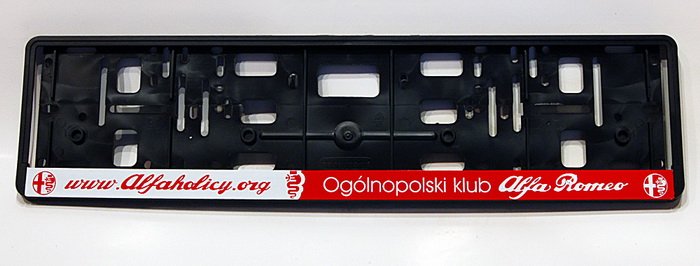
    Ramki Alfaholicy

    Szczegóły, zdjęcia oraz informacje o zamówieniu znajdziesz tutaj.

    Nie czekaj, bo jak zwykle schodzą szybko.

Android Auto

I have another question regarding Yanosik, because I have AA from the moment. Is there a possibility to display Google Maps and Yanosik simultaneously? I have the latest AA and I have e.g. Spotify and maps or Spotify and Yanosik, but I would like to navigate with Google Maps and be sure that Yanosik is working. Because its background operation somehow gives me peace of mind whether it will warn... It ends up that with AA I found myself leaving Yanosik on anyway...
 
you cannot have Yanosik and Google Maps running simultaneously on AA, or Yanosik and Spotify or Google Maps and Spotify. In the second option there will be no notifications from Yanosik. Personally I drive with Google Maps plus Spotify and I have Yanosik running on my phone in a cradle charging, additionally I set so that Yanosik starts automatically when the phone is connected with the hands-free kit (i.e., basically whenever the car starts)
 
Android Auto is very restricted compared to Android radio. Not only are there far fewer configuration options, but also such odd limitations like the lack of YouTube or the ability to run two navigation apps at once. I added a box with AA to mine, but in the end the whole radio with Android will probably come in.
 
no YouTube, that’s more a safety matter, which you can quite easily bypass and watch YouTube and even CDA (and even TV) on the car screen. Android (smartphone) + radio with AA.
 
you cannot have Yanosik and Google Maps running simultaneously on AA, or Yanosik and Spotify or Google Maps and Spotify. In the second option there will be no notifications from Yanosik. Personally I drive with Google Maps and Spotify and I have Yanosik running on my phone in a cradle charging, additionally I set that Yanosik starts automatically when the phone is connected with the hands-free kit (i.e., basically when the car starts)

For me, with Google Maps running, the voice prompts from Yanosik work in the background. I don’t know if it matters that I start Yanosik first and only then Google.
 
If you have navigation on (for example I use TomTom, and sometimes Google Maps) then Yanosik can run in the background - and it definitely works. In Yanosik settings you can enable automatic start, disable, etc. If I ever had to turn the phone off and on, I do this sequence to be sure: first, after connecting the phone to the car and starting AA, I launch Yanosik from the dashboard without setting any route, then I start my navigation. Generally, if I don’t turn off the phone, I plug into the car in the morning, drive to work, and TT and internet radio (installed on the phone - visible in AA, e.g. TuneIn) work automatically, and in the background I have Yanosik’s alerts about e.g. unmarked locations nearby. If you want to be sure they work, enable Yanosik’s alerts about road obstructions and roadwork, you’ll have them frequently.
 
In Stelvio 2017 is it possible to install Apple CarPlay?
If yes - who does it and how much does it cost?

Yes, a Chinese one does it, prices are public you can check yourself. The original radio for my car is a Plus two (dual), and sometimes a hub also needs to be replaced and you don’t want it anymore.
 
I read the last 12 pages of the topic, but I didn’t see anyone write about it. I return to the topic of shortened voice prompts (navigation voice cues) in Android Auto. In short, instead of a full message/guidance, only half is played, e.g., 'In 100 meters...' and silence, while it should be 'In 100 meters, turn left'. In Google Maps it helped to disable the option in settings 'Play voice over Bluetooth'. Of course this solution is annoying, because when I get on a motorcycle I have to activate it, because without this I don’t get navigation prompts to the Bluetooth intercom in the helmet. I suppose that when this option is deactivated, the sound goes through the USB cable. The Waze navigation, which I use often, unfortunately doesn’t have such a function and I either have to play navigation commands through the phone’s speaker, or truncated prompts through the car speakers. In the Giulietta I have a 6.5" screen, factory Apple Car Play/Android Auto, car year 2019. Has anyone found a workaround/solution to this problem? It’s the second phone that works with this car; before it was Honor 10, now Samsung Galaxy S21, and in both cases the same problem.
 
Last edited:
For me it didn’t help. For 1.5 years I’ve had iPhone and it works as it should.
 
I’ll dig up the topic a bit but more informational. For two days I’ve had AA Wireless and during driving with the phone in the wireless charger, for 20 km of city driving the phone charged only 1%. The phone itself was warm but not hot. The phone is Samsung 20 FE 5G. The device itself is very nice. So far it works without problems. Only the first launch right after purchase took a bit longer due to updates, searching, etc. Now it connects almost immediately after getting into the car. You don’t need to run the AA Wireless app to start AA in the car.
 
I had Android, hot phone, charging barely gave a little surplus. CarPlay is a different thing, phone cold, charging etc.
 
My Xiaomi heats up always regardless of AAW, with or without it. Balance always fairly positive provided the phone doesn’t stop charging due to overheating... Overall it’s a fail. Wireless charging, at least on Android, probably never anticipated simultaneous AAW. On top of that Alfa regretting a chunk of active cooling in this charger, or a thermal protection
What fascinates me most is that this heating doesn’t occur always, most of the time it’s a heater but occasionally the phone is just warm and I still haven’t found the cause. It’s surely not a matter of the phone’s position in the cabin. Maybe some Android processes affecting load don’t always run in the background, little time to investigate.
 
Wireless AA has huge battery drain. I also have S20 FE and had to switch to wired charging, because wireless couldn’t keep up.
 
For a month I’ve been using a competitor to AAW CarlinkKit. I bought it as a trial on a shelf in the showroom, plugged it in and immediately bought a second one, because I’m not giving this up. It works: after getting into the car, starting it, I drive out of the garage, wait for the gate to close and then it’s connected. Apparently it can hang up, but so far I’ve not encountered that. On the highway I still plug a cable, because current drains faster (Yanosik runs in the background, TomTom and internet radio). Day to day, I just get into the car and that’s it, I don’t even think about the phone which is usually in the pocket.
 
I’ll dig up the topic a bit but more informational. For two days I’ve had AA Wireless and during driving with the phone in the wireless charger for 20 km around the city the phone charged by 1%. The phone itself was warm but not hot. The phone is Samsung 20 FE 5G. The device itself is very nice. So far it works without problems. Only the first start right after purchase took a bit because of updates, searching, etc. Now it connects almost immediately after entering the car. You don’t need to launch the AA Wireless app to start AA in the car.

I also use AA Wireless for about 2 weeks, it’s doing very well, no problems, I get in and it connects not much slower than wired (maybe a few seconds longer). As for battery drain, much depends on which charger and which phone I’m using, I use Pixel 7 and Pitaka MagEZ Car Mount Pro (15W). The AA itself doesn’t drain much, I’m well ahead; on a short stretch of about 20 minutes it can charge me a few percent. It’s different when I launch Yanosik with the map view then I’m in the negative :) To stay above 0 I have to run it in mini (bubble) mode.
 
Amortyzatory
Back
Top