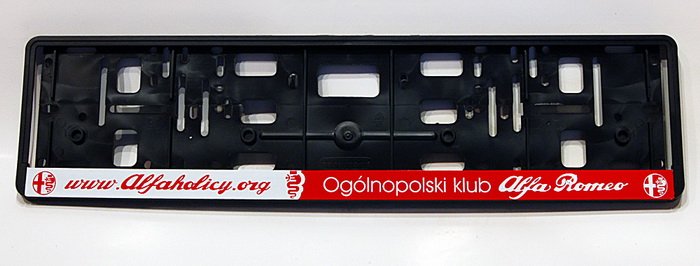
• Jeśli chcesz dodać swojej Alfie charakteru i jednocześnie zaznaczyć przynależność do naszej społeczności – to dobry moment, żeby je zamówić.

    Ramki Alfaholicy

    Szczegóły, zdjęcia oraz informacje o zamówieniu znajdziesz tutaj.

    Nie czekaj, bo jak zwykle schodzą szybko.

Android Auto

I’ve dealt with such Chinese units in the Phaeton, the worst part is that they also make counterfeit versions of their own domestic product... and it depends on luck what you get and what phone you have.
99% of support situations – until the money is transferred, once the transfer goes through they suddenly forget what English is.

I also installed one myself, theoretically the best option, it ran perfectly with an iPhone, Android is already a roulette... that’s why on one hand the Eng-customs adapter tempts me, and on the other I have a memory of what I went through with that added module in the Phaeton. In any case, if I were to decide, I’d probably go for that Eng one – because even if they didn’t build it themselves, the support fixed everything that came out."
 
Back to the built-in AA topic, since yesterday Google changed something on their servers and having version 8.8 on my phone changed the interface appearance on the car’s screen. I think this is called Coolwalk?
Interestingly, I updated the AA version on the phone about ten days ago and there were no changes in appearance.
 
Hmm, my updates stopped at version 8.6 (And10). I’m wondering if the AA version number depends on the OS version, what system do you have?
 
Yesterday I also got a new Android Auto interface.
Probably it updated itself on the phone.
However I see there’s no longer temperature and weather display next to the clock on the AA screen. A pity. Maybe they’ll fix it.
Generally I think the split-screen view is a plus.
But maps center in a way as if they are full-screen.

android 12
android auto 8.6.625054
xperia 1 ii
 
I also have 8.6.625054 on Android 10.
I don’t know where 8.8 came from for my buddy wip automatically since you supposedly have the latest update.

Full-screen only now? It always displayed full-screen to me since I bought last year Stelvio

UPDATE: It looks like 8.6 is actually quite old. Here’s the release history:
https://www.apkmirror.com/apk/google-inc/android-auto/
 
Last edited:
I also got the new Android Auto interface yesterday.
Probably it updated automatically on my phone.
However I notice that there is no longer temperature and weather display next to the clock on the AA screen. Too bad. Maybe they will fix it.
Overall, in my opinion the split-screen view is a plus.
But the maps center in a way that makes them look fullscreen.

android 12
android auto 8.6.625054
xperia 1 ii
Since Android 10, AA is integrated with the system – it is not a separate app.


I also have 8.6.625054 on Android 10.
I don’t know where 8.8 came from for my buddy wip automatically, since you supposedly have the latest update.

Fullscreen only now? It always displayed fullscreen for me since I bought it last year. Stelvio.

UPDATE: It looks like 8.6 is quite old after all. Here is the release history:
https://www.apkmirror.com/apk/google-inc/android-auto/
Fullscreen has been available since the facelift, i.e., since MY'20.
In older models the map is displayed about 2/3 of the screen. The rest is taken by the AA logo :(
It looks like a forced split screen with one active app and spare space for a second one that you cannot add. In the radio settings there is no option to enable/disable split screen for AA. It is possible only for the built-in radio functionality. So if someone besides AA has built-in navigation, then you can display navigation on part of the screen, and on the remaining part something else. Generally an annoying bug. Probably no chance for an update...
 
Last edited:
In the radio settings there is no option to enable/disable split screen for AA. It is possible only for the built-in radio functionalities. So if someone besides AA has built-in navigation, they can display navigation on part of the screen, and on the remaining part something else.
Did I understand correctly, you can display built-in navigation on half the screen and on the other half, for example, the radio (everything except the AA view) – correct?
I’ll have to try it this evening....
 
Did I understand correctly, you can display built-in navigation on half the screen and on the other half, for example, the radio (everything except the AA view) – correct?
I’ll have to try it this evening....
Yes, you can. At least in the second-generation radio with built-in navigation and additionally AA (Giulia MY'19). Go into the display options and there you have a split screen.
The only problem is with AA – as I described, it only displays on 2/3 of the screen. In the remaining part there is the AA logo and, at least to my knowledge, you can’t do anything about it.
 
I don’t know why 8.8 appeared for my wip buddy automatically when you supposedly have the latest update.
Because I download the app “for ages” and install it manually :rolleyes:. And interestingly, in the Play Store I see that I have version 8.6, and when I go into Settings and then App management, it already shows version 8.8, i.e., the one I installed “by hand.”
But the maps center in a way that they look fullscreen.
Indeed, when I set the view on the right side to radio or call, the Yanosik map does not shrink to the size of its window and the car cursor is close to the edge of the panel.
 
That’s how it looks after the update.
 

Attachments

  • IMG-20230202-WA0002.jpg
    IMG-20230202-WA0002.jpg
    53.9 KB · Views: 60
Last edited:
Hi. For me in the pre-facelift it unfortunately looks like this: 20230201_141140.jpg20230201_141120.jpg And I quietly hoped that coolwalk would make AA use the full screen...
 
Apparently in the radio they baked in such a resolution for AA.

And check, if you switch to developer mode and set the resolution to 800x480, will it still not force full-screen AA...
But honestly I doubt it...

Sent from my XQ-AT51 via Tapatalka
 
Apparently in the radio they baked in such a resolution for AA.

And check, if you switch to developer mode and set the resolution to 800x480, will it still force full-screen AA...
But honestly I doubt it...

Sent from my XQ-AT51 via Tapatalka

Unfortunately I’ve tried everything :(
 
Because I download the app “for ages” and install it manually. And interestingly, in the Play Store I see that I have version 8.6, and when I go into Settings and then App management, it already shows version 8.8, i.e., the one I installed “by hand.”
From A10, as So What wrote, you have AA in the system without installation, probably exactly this 8.6. You can uninstall this 8.8 you have and AA will still work for you. Almost certainly when you connect by cable, the system 8.6 starts. This is how it is on my wife's phone, AA in the apps really doesn’t exist and it works in the car. In App Management, the installed APK shown is the one you installed, not the built-in one, so you see 8.8 there, and the Store sees the system 8.6. A mess.
 
Last edited:
Has anyone here bought such a gadget in the latest version fatbat.pl/products/carlinkit-4-0-wireless-module-android-auto-apple-carplay and tested it for a longer time?
 
Back to the built-in AA topic, since yesterday Google changed something on their servers and having version 8.8 on the phone changed the appearance of the interface on my car’s screen. This is probably called Coolwalk? Interestingly, I updated the AA version on the phone ten days ago and there were no changes in appearance.

And I have a Google Pixel and no changes...
 
Almost certainly when you connect by cable it starts this system 8.6
"Almost" makes a difference. If I have the phone connected by cable, entering AA settings I see the launched version 8.8
 
"Almost" makes a difference. If I have the phone connected by cable, entering AA settings I see the launched version 8.8

Therefore I wasn’t insisting too much :-). I know for sure that it may not be installed manually (and not visible in apps) – and it works (Xiaomi Mi11). On my Mi9 I also have two (the relic from the times when it wasn’t in the system yet) but both are 8.6 – and I’m not sure which one works with the radio. I’ll do an update this weekend of the manual to 8.8 and see. Generally, this whole AA mess is a nightmare. They can’t decide how it should work, installed or built-in, only in the car or everywhere, a special version for the phone... etc
 
Last edited:
Amortyzatory
Back
Top