In a Giulietta without a reversing camera, is there a whole system that, after connecting the original camera module in the boot lid, will allow normal operation? When reversing, do the sensors display on part of the monitor, leaving space for the camera image; p. Moduły already showing up on portals.

-
Jeśli chcesz dodać swojej Alfie charakteru i jednocześnie zaznaczyć przynależność do naszej społeczności – to dobry moment, żeby je zamówić.
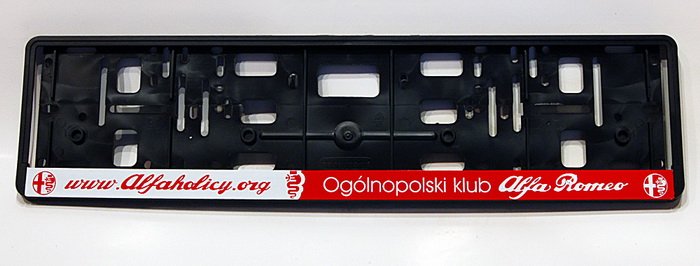
Szczegóły, zdjęcia oraz informacje o zamówieniu znajdziesz tutaj.
Nie czekaj, bo jak zwykle schodzą szybko.
You are using an out of date browser. It may not display this or other websites correctly.
You should upgrade or use an alternative browser.
You should upgrade or use an alternative browser.
Rear camera
- Thread starter SLukaS
- Start date
- Polski
- English
- Alfa Romeo discussions in English
- Machine-translated text

Gregor-Wrocław
Member
- Joined
- Sep 1, 2020
- Messages
- 300
- Car
- Giulia 2.0GME 200KM 2019r
I’m also interested in installing a camera. Is it really enough to install only the camera in the trunk lid? What about the wiring?
Hey. It was explained extensively, but not everything. If we’re talking about an OE solution, you have to buy a camera; I bought a complete tailgate with a camera from the dealer in May for 650 PLN (the camera itself would cost about 900, which is strange). You also need to buy somewhere a camera connector with a piece of cable; I bought an original Mopar from an Italian on eBay for about 200 PLN with shipping. Next, you need to run a cable from the trunk to the area around the A-pillar on the passenger side, a 6x0.75 cable in a shield, e.g. LICY6x075. The next thing is that for MY 18 you had an exposed camera connector in the area of the left A-pillar, or in earlier years at the passenger footwell, but my MY 19 didn’t have that connector and I had to make a harness, i.e., bring the video signal to the radio and pull power from the body computer (you need to equip yourself with the right pins so they fit all those plugs and connectors), then only activation of the camera in Proxi and that’s it. However, I would start with activating the camera in Proxi and checking whether the radio accepts the camera, because there were those that didn’t handle the camera.
Talk of Stelvio.
Gentlemen, to pull this module with the button and camera out of the lid, is it just these two screws and should come out together with the cables after prying the clips? Or do you first have to dismantle the lid housing from the inside and free the cables from the inside? I’m asking because I can’t get it out and I don’t know if I’m too gentle or something is holding it from the inside rigidly on the wires.
And I also have a question, maybe someone knows what generates the parking lines. Does the camera, under the control of the LIN bus, feed them to the video signal, or are they generated by the monitor (only I don’t know why the LIN bus is even there)?
Gentlemen, to pull this module with the button and camera out of the lid, is it just these two screws and should come out together with the cables after prying the clips? Or do you first have to dismantle the lid housing from the inside and free the cables from the inside? I’m asking because I can’t get it out and I don’t know if I’m too gentle or something is holding it from the inside rigidly on the wires.
And I also have a question, maybe someone knows what generates the parking lines. Does the camera, under the control of the LIN bus, feed them to the video signal, or are they generated by the monitor (only I don’t know why the LIN bus is even there)?
Gregor-Wrocław
Member
- Joined
- Sep 1, 2020
- Messages
- 300
- Car
- Giulia 2.0GME 200KM 2019r
Talk of Stelvio.
Gentlemen, to pull this module with the button and camera out of the lid, is it just these two screws and should come out together with the cables after prying the clips? Or do you first have to dismantle the lid housing from the inside and free the cables from the inside? I’m asking because I can’t get it out and I don’t know if I’m too gentle or something is holding it from the inside rigidly on the wires.
And I also have a question, maybe someone knows what generates the parking lines. Does the camera, under the control of the LIN bus, feed them to the video signal, or are they generated by the monitor (only I don’t know why the LIN bus is there at all)?
I don’t know how it is in Stelvio but in the Giulietta it was enough to unscrew those two screws and pry, and the whole element comes out. If you have camera display enabled in Proxi, then in the radio menu you get the option to enable or disable the lines, and from CAN (LIN bus) it pulls information about the steering wheel angle.
That wasn’t what I meant about the lines. What you said I know, and I have the original camera with lines. What I’m asking is what physically generates them - does the camera add them based on the LIN bus that reaches it, or does the monitor generate them based on some other communication (probably with BCM)?
In short, the question is whether if we replace the video signal from the original camera with another signal (not containing lines), will the lines disappear from the monitor or not? - they won’t disappear if the monitor produces them.
The main reason I want to pull this camera is to test it and also feed in other signals of better quality and see what the monitor will accept at all.
In short, the question is whether if we replace the video signal from the original camera with another signal (not containing lines), will the lines disappear from the monitor or not? - they won’t disappear if the monitor produces them.
The main reason I want to pull this camera is to test it and also feed in other signals of better quality and see what the monitor will accept at all.
marekkoczta
Active
That wasn’t what I meant about the lines. What you say I know and I have the original camera with lines. What I’m asking is what physically generates them - does the camera add them based on the LIN bus that reaches it, or does the monitor generate them based on some other communication (probably with BCM)?
In short, the question is whether, if instead of the video signal from the original camera we input another signal (not containing lines), the lines will disappear from the monitor or not? - they won’t disappear if the monitor produces them.
The main reason I want to pull this camera is to test it and also feed in other signals of better quality and see what the monitor will accept at all.
Faster, without writing a CV, you can connect another camera.
It seems you might be right.Faster, without writing a CV, you can connect another camera.
Gregor-Wrocław
Member
- Joined
- Sep 1, 2020
- Messages
- 300
- Car
- Giulia 2.0GME 200KM 2019r
Not what I meant about the lines. What you say I know, and I have the original camera with lines. What I’m asking is what physically generates them - the camera adds them based on the LIN bus that reaches it, or the monitor based on some other communication (probably with BCM)?
In short, the question is whether, if instead of the video signal from the original camera we input another signal (not containing lines), the lines will disappear from the monitor or not? - they won’t disappear if the monitor produces them.
The main reason I want to pull this camera is to test it and also feed in other signals of better quality and see what the monitor will accept at all.
As long as you don’t connect to CAN, the lines won’t appear. From what I know, the lines are generated by the main unit, i.e., the 'radio'.
marekkoczta
Active
It seems you might be right.
I’m not claiming to write like others who heard it, etc.—I know from personal experience. These topics come up like a boomerang; we’ve already discussed them on the forum and even posted pictures from the car. Just search for it.
Well, I looked really a lot and I saw your posts too when you wrote that you hooked up a Chinese one and the discussion with the switch for front-rear. And Epsonix suggested that maybe leave the original connected to the LIN bus so BCM won’t spit, and replace the video. But I haven’t seen anywhere what exact resolutions or video formats (only CVBS or also AHD and which ones) these multimedia units accept without cropping the excess or regarding the lines how it exactly is.
If you remember the specifics, please write them.
I want to change the video and keep the original lines. Maybe it’s impossible, I’ll check.
If you remember the specifics, please write them.
I want to change the video and keep the original lines. Maybe it’s impossible, I’ll check.
marekkoczta
Active
Well, I looked really a lot and I saw your posts too when you wrote that you hooked up a Chinese unit and the discussion with the switch for front-right. And Epsonix suggested that maybe leave the original connected to the LIN bus so BCM won’t spit and replace the video. But I haven’t seen anywhere what exact resolutions or video formats (only CVBS or also AHD and which ones) these multimedia units accept without cropping the excess or regarding lines how it exactly is.
If you remember the specifics, please write them.
I want to change the video and keep the original lines. Maybe it’s impossible, I’ll check.
I don’t remember what format etc.

epsonix
Quadrifoglio Verde
- Joined
- Oct 8, 2011
- Messages
- 11,313
- Car
- Ghibli'20 GS, Giulia'18 Q4, Tonale'23 MHEV, Spider'99 V6
Original camera - yes. CVBS NTSC, probably 480 pixels vertically.
Question: what will be the effect of inserting CVBS or AHD 720p, I want to check because supposedly good. The display supposedly is 1280x480 but it’s not known what exactly the radio does with that signal and what it accepts.
Did you, Epsonix, ever pull a camera out of the ... Stelvio? I’m wrestling with this damn thing and I can’t get it out from the outside... Is it doable (as they say in Giulia)?
PS. I pulled out that junk.
Question: what will be the effect of inserting CVBS or AHD 720p, I want to check because supposedly good. The display supposedly is 1280x480 but it’s not known what exactly the radio does with that signal and what it accepts.
Did you, Epsonix, ever pull a camera out of the ... Stelvio? I’m wrestling with this damn thing and I can’t get it out from the outside... Is it doable (as they say in Giulia)?
PS. I pulled out that junk.
Last edited:
I injected signals instead of the original camera:
AHD-1080p - does not work (neither PAL nor NTSC),
AHD-720p - does not work (neither PAL nor NTSC),
CVBS-960h PAL - does not work
CVBS-960h NTSC - the only one the radio passes. So only cameras specifically 960x480 NTSC 30Hz. Or, there are plenty on Ali cameras described as CVBS-720p 30Hz (CVBS narrowed to D1 720x480)
The camera is powered non-stop. So half of Chinese cameras fail because, quite honestly, most say “not suitable for continuous operation.” Those that don’t say that you don’t know if they are suitable...
The lines are generated unfortunately by the camera. I was hoping maybe by the monitor too because there are two methods used. So changing the camera and the dynamic lines go to hell. The gyroscopic ones built into Chinese cameras are probably junk.
In short - what a beautiful failure...
You can still fight trying to replace the lens with a brighter and wider one. Which isn’t easy because the original is permanently glued into the housing.
AHD-1080p - does not work (neither PAL nor NTSC),
AHD-720p - does not work (neither PAL nor NTSC),
CVBS-960h PAL - does not work
CVBS-960h NTSC - the only one the radio passes. So only cameras specifically 960x480 NTSC 30Hz. Or, there are plenty on Ali cameras described as CVBS-720p 30Hz (CVBS narrowed to D1 720x480)
The camera is powered non-stop. So half of Chinese cameras fail because, quite honestly, most say “not suitable for continuous operation.” Those that don’t say that you don’t know if they are suitable...
The lines are generated unfortunately by the camera. I was hoping maybe by the monitor too because there are two methods used. So changing the camera and the dynamic lines go to hell. The gyroscopic ones built into Chinese cameras are probably junk.
In short - what a beautiful failure...
You can still fight trying to replace the lens with a brighter and wider one. Which isn’t easy because the original is permanently glued into the housing.
Last edited:
This topic should be useful: https://www.alfaowner.com/threads/rear-camera-retrofit.1204466/