
-
Jeśli chcesz dodać swojej Alfie charakteru i jednocześnie zaznaczyć przynależność do naszej społeczności – to dobry moment, żeby je zamówić.
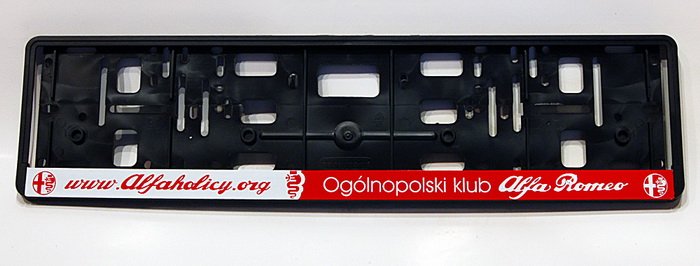
Szczegóły, zdjęcia oraz informacje o zamówieniu znajdziesz tutaj.
Nie czekaj, bo jak zwykle schodzą szybko.
You are using an out of date browser. It may not display this or other websites correctly.
You should upgrade or use an alternative browser.
You should upgrade or use an alternative browser.
Android Auto
- Thread starter Imć
- Start date
- Polski
- English
- Alfa Romeo discussions in English
- Machine-translated text


bartas82
Member
What do you mean by the controls are a lottery? I use AA through CarPlay (to have a full screen) and the controls work, BUT you must remember that not in the standard way as in AA mode (due to CarPlay restrictions, or rather a different navigation project)
To switch between windows (apps) you have to move the knob to the left once, from that moment each turn moves to the next app. Then again move once to the left and rotate to navigate inside the given app. Weird, but you can get used to it.
For me the problem is only when I switch to radio, after some time (30s?!) AAWireless disconnects, reconnects (I see on the console 'Phone connected') and automatically switches back to CarPlay. Additionally, when 'auto resume music after connection' is enabled the radio turns off and the phone plays music. You turn the radio back on, after a moment the same happens. Annoying.
To switch between windows (apps) you have to move the knob to the left once, from that moment each turn moves to the next app. Then again move once to the left and rotate to navigate inside the given app. Weird, but you can get used to it.
For me the problem is only when I switch to radio, after some time (30s?!) AAWireless disconnects, reconnects (I see on the console 'Phone connected') and automatically switches back to CarPlay. Additionally, when 'auto resume music after connection' is enabled the radio turns off and the phone plays music. You turn the radio back on, after a moment the same happens. Annoying.

epsonix
Quadrifoglio Verde
- Joined
- Oct 8, 2011
- Messages
- 11,313
- Car
- Ghibli'20 GS, Giulia'18 Q4, Tonale'23 MHEV, Spider'99 V6
Hey I tested AAWireless a bit, it would be fine but the controls are a lottery, full screen works very nicely, one more question: do you also occasionally lose connection with the car and reconnect?
radio updated? if not there is a thread on alfaowner where you’ll find the new firmware.
Once a year it happened to me
He is talking about a new version which is probably still in Beta, where AA over WiFi dongle throws to CarPlay over USB and thus you have the full screen in use. The controls are a bit weird from what people write, but most say you get used to it and then it doesn’t cause problems
I used version 4.0 of AAWireless in AAoverCP mode. I mean, I used it, because since version 3.5 they broke something badly. Voice control hangs, and GPS after stopping the car sends only zeros and I end up on every intersection somewhere near Africa (at the intersection of the equator and 0 longitude)  Apparently other testers Stelvio are not complaining about it. Maybe a newer firmware would fix the issue. I have Stelvio 2018 and Infotainment version 072. Can I safely flash 090 from alfaowner? Is there any risk of hard bricking the hardware?
So What!
Member
This is an AAWireless problem. It started happening to me after one of the updates as well. I tried downgrading, but that did nothing. I don't complain about the problem itself too much, because I enabled developer updates myself and I am, in a sense, a test rabbit.I used version 4.0 of AAWireless in AAoverCP mode. I mean, I used it, because since version 3.5 they broke something badly. Voice control hangs, and GPS after stopping the car sends only zeros and I end up on every intersection somewhere near Africa (at the intersection of the equator and 0 longitude)
Anyway, if I unplug the device and connect my phone with a cable, I have no GPS problems.
I wrote to support yesterday (they have excellent support - I recommend). They replied to enable Auto Video Focus. I haven’t done it yet, so I don’t know if that solves the problem.
This is an AAWireless problem as well. It started happening to me after one of the updates. I tried downgrading, but nothing helped. I don’t complain about the problem itself too much, because I enabled developer updates myself and I’m somewhat a test rabbit.
Anyway, when I unplug the device and plug the phone in with a cable, I don’t have GPS problems.
I wrote to support yesterday (they have good support - I recommend). They replied to enable Auto Video Focus. I haven’t done this yet, so I don’t know if it solves the problem.
For GPS issues, disable iAP support (it also shows the track title between the gauges). Without this, GPS works correctly and doesn’t send you to the equator. However, I stopped using AAoverCP mainly because when I give Google a voice command to call someone or Yanosik speaks via BT, Google then stops accepting any voice commands after pressing the steering wheel button. And this, for me, disqualifies this mode entirely. In standard AA, even through the AAW box, everything works perfectly, just on 2/3 of the screen.
I understand this is a pre-facelift radio (<MY20)?In standard AA, even through the AAW box, everything works perfectly, just on 2/3 of the screen.
Yes. But with AA and CP.I understand this is a pre-facelift radio (<MY20)?
So What!
Member
I didn’t find the Auto Video Focus feature in the settings, which the support mentioned.
Exactly, I didn’t either.
And if you call using the voice assistant, regardless of whether you’re connected to the caller or not, will Google listen to you at all afterward, or do you have to reset the box?
So What!
Member
I didn’t have issues with voice dialing, but on the other hand I haven’t called from the car recently. Maybe something broke after one of the latest updates?
[EDIT]
By the way I’m impressed with AAWireless technical support. I wrote to them that after the latest developer updates GPS glitches, and that I’d like to revert to version 3.5. I just got an email from them saying they sent me the mentioned update in the app. They also asked whether this version works better. Hats off for such an approach to the customer!
[EDIT]
By the way I’m impressed with AAWireless technical support. I wrote to them that after the latest developer updates GPS glitches, and that I’d like to revert to version 3.5. I just got an email from them saying they sent me the mentioned update in the app. They also asked whether this version works better. Hats off for such an approach to the customer!
Last edited:
So What!
Member
I also think so. I actively participate in the tests and I am full of admiration for their involvement.a matter of time until they polish it
epsonix
Quadrifoglio Verde
- Joined
- Oct 8, 2011
- Messages
- 11,313
- Car
- Ghibli'20 GS, Giulia'18 Q4, Tonale'23 MHEV, Spider'99 V6
they exist, Emil spent years making one on xda-developers with a middleman phone as a bridge, without funding etc, and it never finished. when it started crowdfunding, another guy joined who also tried to build his own device, they raised a few million USD and then they kicked into high gear - probably they have money for engineers, testers, loaning cars, support etc, hence the involvement and probably that they even entered into creating an AA Wifi bridge on ACP with a solution for niche user problems of cars like Alfa before facelifts with disproportionate display. magic of available funds and Emil himself was reasonable - many times I wrote to him a few years ago when he still worked on that app AAGateway.
I’ll let you know after I drive longer.
Update after about a year and a half of using the Motorola MA1 adapter. Generally it worked problem-free until last week. Battery drain of the phone with wireless AA + music streaming is negligible if we drive 30-60 minutes. On a trip of type 3+ hours, the battery already drains significantly, so either wireless charging (then power usage is compensated) or a cable. With simultaneous wireless charging, the Samsung phone can overheat, which causes wireless AA to disconnect (it happens very sporadically).
Last week, after about a year and a half of use, wireless AA suddenly disconnected while driving. I thought restarting the phone or re-pairing would help. However I couldn't reset the MA1 to factory settings and/or put it into Bluetooth pairing mode (then a blue LED should flash on the dongle). All attempts to reset the dongle, whether connected to the car, to the USB port on a computer or power bank, were unsuccessful. Something was happening, but ultimately the phone didn’t see the dongle (via Bluetooth), and the LED flashing sequence resembled “boot looping.” I read on foreign forums that some people had similar cases. Some MA1 failed even during the warranty... Mine was bought in the USA, when it was not available in the EU through any official channel, so warranty is probably out. I did find a post on some forum that someone with similar problems tried to heat the dongle in a fryer (dry fry)
 . With not much to lose, I tried the same in a microwave oven. I opened the dongle so I could have a plate on top. I removed extra shielding of chips, oven top+bottom 225 and 7 minutes of heating. After this the dongle reset without problems and I could pair it again. We’ll see how long it lasts.


marco_radik
Member
There’s no wireless even in the pre-facelift. I have carlink 5.0 and wireless AA works. In the info it says that from 10 it works.
So I think your phone should work.
And indeed I misread, carlink requires 11 or newer.
Someone would have to comment on what has Android 10 and uses some dongle for AA wireless whether it works.
So I think your phone should work.
And indeed I misread, carlink requires 11 or newer.
Someone would have to comment on what has Android 10 and uses some dongle for AA wireless whether it works.
Last edited: