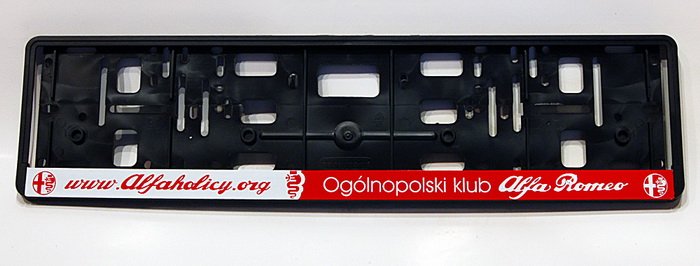
• Jeśli chcesz dodać swojej Alfie charakteru i jednocześnie zaznaczyć przynależność do naszej społeczności – to dobry moment, żeby je zamówić.

    Ramki Alfaholicy

    Szczegóły, zdjęcia oraz informacje o zamówieniu znajdziesz tutaj.

    Nie czekaj, bo jak zwykle schodzą szybko.

AlfaOBD android

karol_1
I have an ELMa from PMFactory bought years ago (that big orange-blue sticker), I even removed the resistor myself because I didn’t know it’s removable so I didn’t order the right one. It works on various devices with AlfaOBD or from a MES laptop in Giulia, 159, GIuii, Stilo, 500, Bravo. I also once used some iCar (three or so) someone had on hand and I tinkered a bit with the prox in a Giulietta in a hurry.
karol_mito
the video you recorded is crap unfortunately, you immediately click on the side screen, you have nothing connected, what are we going to tell you?

You didn’t address the issue of the yellow adapter (the type 3) - did you install it between the interface and the OBD? already twice we drew your attention in the thread - with such cheap interfaces without multiplexing (AlfaOBD also doesn’t support it anyway) you must install an adapter.

have you tried changing anything in the interface settings? have you tried connecting from another device?

Mate, friendly, I didn’t record this video, I only commented on it as well :)
 
Well I didn’t connect any adapter because I don’t have one, where can I buy such a thing?
As I wrote on the first screen I didn’t get any connection but usually it connects normally and it’s exactly the same

- - - Updated - - -

Here is a screenshot from the first screen
4.jpg
 
Mate, friendly, I didn’t record this video, I only commented on it :)
sorry, I replied quickly - three users on K something got tangled in my head. post corrected.

- - - Updated - - -

Well I didn’t connect any adapter because I don’t have one, where can I buy such a thing?
As I wrote on the first screen I didn’t get any connection but usually it connects normally and it’s exactly the same

- - - Updated - - -

Here is a screenshot from the first screen
View attachment 260757
AlfaOBD asks you for an adapter while you bring yours.
In your mito, according to https://www.multiecuscan.net/SupportedVehiclesList.aspx only the engine computer and ABS/ESP connect without an adapter, and the rest you must have yellow/type 3 or modify your own ELM - e.g., some switches 2 to shift pins 6 and 14 to 1 and 9 as shown in the diagram on the linked page (on the right is the type 3 drawing).

As has been said a million times in existing threads about interfaces (really I don’t know why you started this thread, there is a page here: https://www.forum.alfaholicy.org/mito_giulietta/142897-giulietta_interfejs_diagnostyczny.html), you need an adapter. You can buy one from Viaken or PMFactory, both have their online stores as well as selling on Allegro.
 
Damn I can’t with this app anymore...
I managed to connect to the car using an adapter but all I can do are little things like turning on a light or the indicator. When I enter the engine section there is a connection error.
Could someone explain it step by step, i.e., you plug OBD via the yellow adapter, you connect to the module, you choose engine, you choose engine X, etc. because I have no patience left for this crap.
 
Darn, I can’t deal with this app anymore...
I’ve managed to connect to the car using the adapter, but all I can do are some things like starting a dashboard light or headlights. When I enter the engine section, there is a connection error.
Could someone explain this to me in layman’s terms, because even entering the engine section I don’t see anything like an oil change or MA calibration.
If someone could walk me through step by step, i.e.: connect OBD via the yellow adapter, connect to the module, select engine, choose engine X, etc. I’m out of patience with this junk.

After connecting, open the ACTIVE DIAGNOSTICS tab and there you have a choice like oil change, etc, then start, and that’s it.
 
In the first screen you need to select ENGINE?
Then which engine to select for 135 HP?
With or without the adapter?
Ignition at MAR?
Sorry for asking such stupid questions but really I’ve tried in every possible way and can’t find or do this anywhere, and it seemed to me that I’m tech-savvy, hehe.
 
Okay, I think I managed to do it...
Not exactly, because after the start&stop procedure it showed unavailable, checkengine flashed and there is a P1320 UniAir module learn To be performed
Somewhere I heard that then you have to do something else, could someone suggest what because I can’t find it on the forum?
Ps. while setting this it threw some other errors and the passenger airbag turned off, is this the famous Alfa electronics? But that’s a separate topic and I’ll try to handle it myself for now.
 
Look, every procedure is described in this program. Normally you connect without an adapter, if you choose another module to connect to a message will appear that you need to plug in this or that adapter. You already have everything described by the guys.
 
Amortyzatory
Back
Top