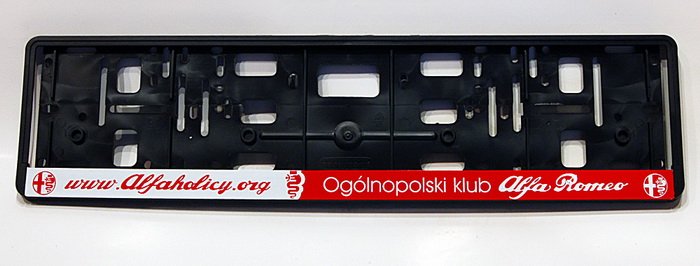
• Jeśli chcesz dodać swojej Alfie charakteru i jednocześnie zaznaczyć przynależność do naszej społeczności – to dobry moment, żeby je zamówić.

    Ramki Alfaholicy

    Szczegóły, zdjęcia oraz informacje o zamówieniu znajdziesz tutaj.

    Nie czekaj, bo jak zwykle schodzą szybko.

[Stelvio] Aktualizacja nawigacji dla pojazdów MY2020

gdzieś z dyskusji na forach wyszło że w MY23+ bodajże (albo 24+) USB pod klimą jest już tylko ładowaniem, nie działa tam po kablu AA/ACP ani mapy. może to problem niektórych powyżej?
Ja wgrywam zawsze spod panelu klimy - ale auto MY18 z radiem MY20, akurat hubem MY20 i wiązką ori do USB którą miałem do konfigu USB pod klimą + 2x USB w podłokietniku, wszystkie porty danych.
 
Pewnie powoli wychodzą kolejne oszczędności poliftowowe.
A to ledy w klamkach i zdaje się któreś ambientowe w kabinie, hub, silniczek fotela...
 
W moim Stelvio 2025, z panelu pod klimą łączy się AA. Jakiś czas miałem tam ten transponder (czy jak to zwać) bezprzewodowy do AA i działał ale przeniosłem go do podłokietnika, bo zaburzał mi estetykę. ;)
Co do oszczędności, to podświetlane tylne klamki nie są mi do niczego potrzebne, a tym bardziej ambientowe podświetlenie (brrr... nienawidzę tego festynu w samochodzie) zamiast tych bajerów oszczędności mogliby przeznaczyć na ten silniczek w fotelu, który realnie poprawiłby komfort jazdy. Albo oświetlenie przestrzeni pod lusterkiem po otwarciu zamka. Ewentualnie na LED podświetlenie w drzwiach i mocniejsze lampki w bagażniku. Myślałem, że coś jest z nimi nie tak, bo niby świeciły ale nie oświetlały. Kupiłem zamienniki od (chyba) Pandy u majfrenda i świecą jak należy i w drzwiach i w bagażniku.
 
W bagażniku to głównie dają po oczach a podłoga ciemna jak w d.
Dodałem listwę wzdłuż rolety i stała się nareszcie jasność.
Zgadzam się, że dużo bajerów jest zbędna choć to kwestia gustu u co poniektórych osobników. Tendencję tylko zauważam...
 
Hi everyone!

I stumbled upon your forum while looking for a solution to my problem. I really hope someone can help, as I’ve hit a complete dead end trying to install European maps on my 2020 Alfa Romeo Stelvio (2.0L, Q4, US Market, Facelift with Touchscreen). The infotainment completely ignores the update files.

I’ve already done extensive hardware and software troubleshooting. Here is the exact breakdown:

  • TBM / Telematics Hardware Bypass: Originally, there was an issue with the Alfa Connect Box. To bypass the US GPS restriction, I accessed the telematics module (TBM), disconnected the last two wires, and routed the satellite signal directly to the radio module via a FAKRA extension cable. The compass is now working perfectly.
  • Proxi Configuration: Fully converted the car to European settings via AlfaOBD. Changed Market Area to EMEA. Tried changing the Country Code to both Moldova and Romania. The Proxi Alignment completed successfully with no blinking odometer or CAN errors.
  • Infotainment Firmware: Successfully updated the system from the older factory 119 firmware to the stable 132 version. Everything went smoothly.
  • USB Drives Tested: Tested 4 different storage devices, two were my own, and I bought two more specifically for this task.
    • 16GB USB 2.0 stick
    • 64GB USB 3.0 stick
    • 32GB USB 2.0 stick
    • 1 microSD 128GB via card reader

      Part of me still thinks it could be a USB compatibility issue, but I don’t want to buy any more — otherwise, my city might run out of USB drives 😅. Formatting was done using both Quick and Full (deep) methods, testing both NTFS and exFAT file systems. I’m plugging them strictly into the USB port inside the center armrest.
  • Map Files & License: All files were placed strictly in the root directory of the USB drive. I used a single .bin map file along with a manually created my2020-lic.dct license key (5 spaces, ANSI encoding).
I have tried to install three different map packages so far (each loaded into the root folder individually):
  1. MP50180.bin
  2. MAP50445.bin
  3. MAP50465.bin

My main question regarding the menu right now, when I go to Settings -> System, I can only see the System Update option, which I used to flash firmware 132. There is absolutely no Map Update option visible anywhere.

Is this Map Update menu option supposed to be hidden by default, only appearing dynamically after the head unit successfully reads and validates the map files from the armrest USB? Or is my firmware completely missing this option?

What else could be causing the system to completely ignore these files? Any help, tips, or pointers would be highly appreciated!

Thank you in advance and greetings from Moldova!
 
Hi everyone!

I stumbled upon your forum while looking for a solution to my problem. I really hope someone can help, as I’ve hit a complete dead end trying to install European maps on my 2020 Alfa Romeo Stelvio (2.0L, Q4, US Market, Facelift with Touchscreen). The infotainment completely ignores the update files.

I’ve already done extensive hardware and software troubleshooting. Here is the exact breakdown:

  • TBM / Telematics Hardware Bypass: Originally, there was an issue with the Alfa Connect Box. To bypass the US GPS restriction, I accessed the telematics module (TBM), disconnected the last two wires, and routed the satellite signal directly to the radio module via a FAKRA extension cable. The compass is now working perfectly.
  • Proxi Configuration: Fully converted the car to European settings via AlfaOBD. Changed Market Area to EMEA. Tried changing the Country Code to both Moldova and Romania. The Proxi Alignment completed successfully with no blinking odometer or CAN errors.
  • Infotainment Firmware: Successfully updated the system from the older factory 119 firmware to the stable 132 version. Everything went smoothly.
  • USB Drives Tested:Tested 4 different storage devices, two were my own, and I bought two more specifically for this task.
    • 16GB USB 2.0 stick
    • 64GB USB 3.0 stick
    • 32GB USB 2.0 stick
    • 1 microSD 128GB via card reader

      Part of me still thinks it could be a USB compatibility issue, but I don’t want to buy any more — otherwise, my city might run out of USB drives 😅. Formatting was done using both Quick and Full (deep) methods, testing both NTFS and exFAT file systems. I’m plugging them strictly into the USB port inside the center armrest.
  • Map Files & License: All files were placed strictly in the root directory of the USB drive. I used a single .bin map file along with a manually created my2020-lic.dct license key (5 spaces, ANSI encoding).
I have tried to install three different map packages so far (each loaded into the root folder individually):
  1. MP50180.bin
  2. MAP50445.bin
  3. MAP50465.bin

My main question regarding the menu right now, when I go to Settings -> System, I can only see the System Update option, which I used to flash firmware 132. There is absolutely no Map Update option visible anywhere.

Is this Map Update menu option supposed to be hidden by default, only appearing dynamically after the head unit successfully reads and validates the map files from the armrest USB? Or is my firmware completely missing this option?

What else could be causing the system to completely ignore these files? Any help, tips, or pointers would be highly appreciated!

Thank you in advance and greetings from Moldova!
Myślę że, Opcja aktualizacji map powinna być dostępna, nie jest ukryta


TBM odlaczyles całkowicie? Z tego co piszesz odpiąłeś tylko dwa przewody i je zmostkowaleś. Odepnij od TBM wszystkie kable i zrób proxi

And you said compass is working perfectly... Let's precise what do you mean here. GPS signal or proper compass function on the screen? I didn't have working compass until maps installation. Compass starts working when the car have installed maps
 
Myślę że, Opcja aktualizacji map powinna być dostępna, nie jest ukryta


TBM odlaczyles całkowicie? Z tego co piszesz odpiąłeś tylko dwa przewody i je zmostkowaleś. Odepnij od TBM wszystkie kable i zrób proxi

And you said compass is working perfectly... Let's precise what do you mean here. GPS signal or proper compass function on the screen? I didn't have working compass until maps installation. Compass starts working when the car have installed maps
Thank you so much for the quick response!

I disconnected it like this: (Please see the attached photo — this is a schematic photo from the internet to illustrate what I did). I completely unplugged the main big cable (marked as 1), and then took cables 2 and 3 and connected them together using a FAKRA extension cable. The other smaller cables are still plugged into the TBM. Do you think completely unplugging all remaining wires from the TBM and running a Proxi alignment again could solve the problem?

To clarify about the compass — yes, I meant the actual compass function/graphics on the infotainment screen showing directions (N/S/E/W). I attached a photo of my current system menu. In the exact moment I took this picture, the compass was searching (it sometimes takes a while to boot up), but generally, it works.

As you can see in the second attached photo, the Update Maps section is completely missing from my System menu. Only the Update Software option is present.
 

Załączniki

  • Screenshot 2026-06-29 at 20.26.23.png
    Screenshot 2026-06-29 at 20.26.23.png
    628.2 KB · Wyświetleń: 25
  • PXL_20260629_170443481.jpg
    PXL_20260629_170443481.jpg
    108.3 KB · Wyświetleń: 25
  • PXL_20260629_170537790.jpg
    PXL_20260629_170537790.jpg
    111.5 KB · Wyświetleń: 24
  • PXL_20260629_170237655.jpg
    PXL_20260629_170237655.jpg
    107.1 KB · Wyświetleń: 23
@marekkoczta thanks man! After your comment, I checked my original US window sticker.

And you are right! My specs show the base AM/FM Bluetooth® 8.8–Inch Radio, so no factory navigation. I guess I was naive to assume that navigation were standard on all 8.8-inch screens.

Thanks again, all the best!
 
nope, you had only compass but generated by TBM GPS analyze, where normally these radios when no TBM, generate compass direction in ETM based on GPS location change (or in oldest 2016/17 cars in US based on separate compass module (derived from Chrysler) placed under the roof.

IMHO you shoudl fully disconnect TBM CAN also, and proxi it out - heard may be issues with car not going to proper sleep state.
 
@epsonix, thanks for the explanation and the warning.

The car is like this for two weeks now, and the battery is completely fine, so I think it sleeps well. Honestly, that TBM is located in a terrible place, I will need to break my arm in three places again to reach it 😅. Since everything works, I don't want to touch it now. But if I wake up one day with a dead accu, I will definitely know the place that caused it!
 
Czy jest tu ktoś z radiem gen3 i wersją firmware wyższą niż 132?
Czytałem gdzieś, że podobno są, ale dostępne tylko w ASO, wersje 141 a nawet 145. Podobno poprawione o tyle, że nie wybudzają się bez sensu na stby i w efekcie mniej drenują aku.
 
Mam właśnie 145. Na razie żadnych problemów z aku nie zauważyłem.
 
A czy za każdym razem jak włączasz START na kierownicy to display startuje Ci z loga Alfy czy też całkiem często odrazu wskakuje na ekran z kafelkami a audio zaczyna grać?
 
Zawsze jest logo Alfy i komunikat. Czasem jakby wolniej - czarny ekran kilkanaście (?) sekund i dopiero logo Alfy, ale kafelków od razu nigdy nie było.
 
No właśnie, a u mnie najczęściej od razu kafelki, jakby ETM wogóle dziad nie szedł spać. Logo to tak z raz na 10 startów (oczywiście mówię o długich odstępach a nie tak raz za razem).
Dzięki za info :-). Uderzę po update do ASO bo tych plików na "rynku" chyba nigdzie nie ma do ściągnięcia niestety.
 
Jeszcze będziesz żałował - radio radiem, ale zanim nawigacja ruszy... ;)
 
No ale jak nie usypia to prąd żre. Gdzie nie spojrzysz d* z tyłu niestety.
 
A poważnie to sprawdzałem też usb-a w podłokietniku (bo mam tam wpiętego pena, który nieźle się grzeje, czyli bez sensu żre prąd), po zamknięciu samochodu jeszcze przez jakiś czas był zasilany i dopiero wyłączany. Może to też jakiś test na aktywność/usypianie radia?
 
Amortyzatory
Powrót
Góra